
Home / Blog / Headless Store Popups
Dynamic popups for headless stores: URL parameters and cookie triggers
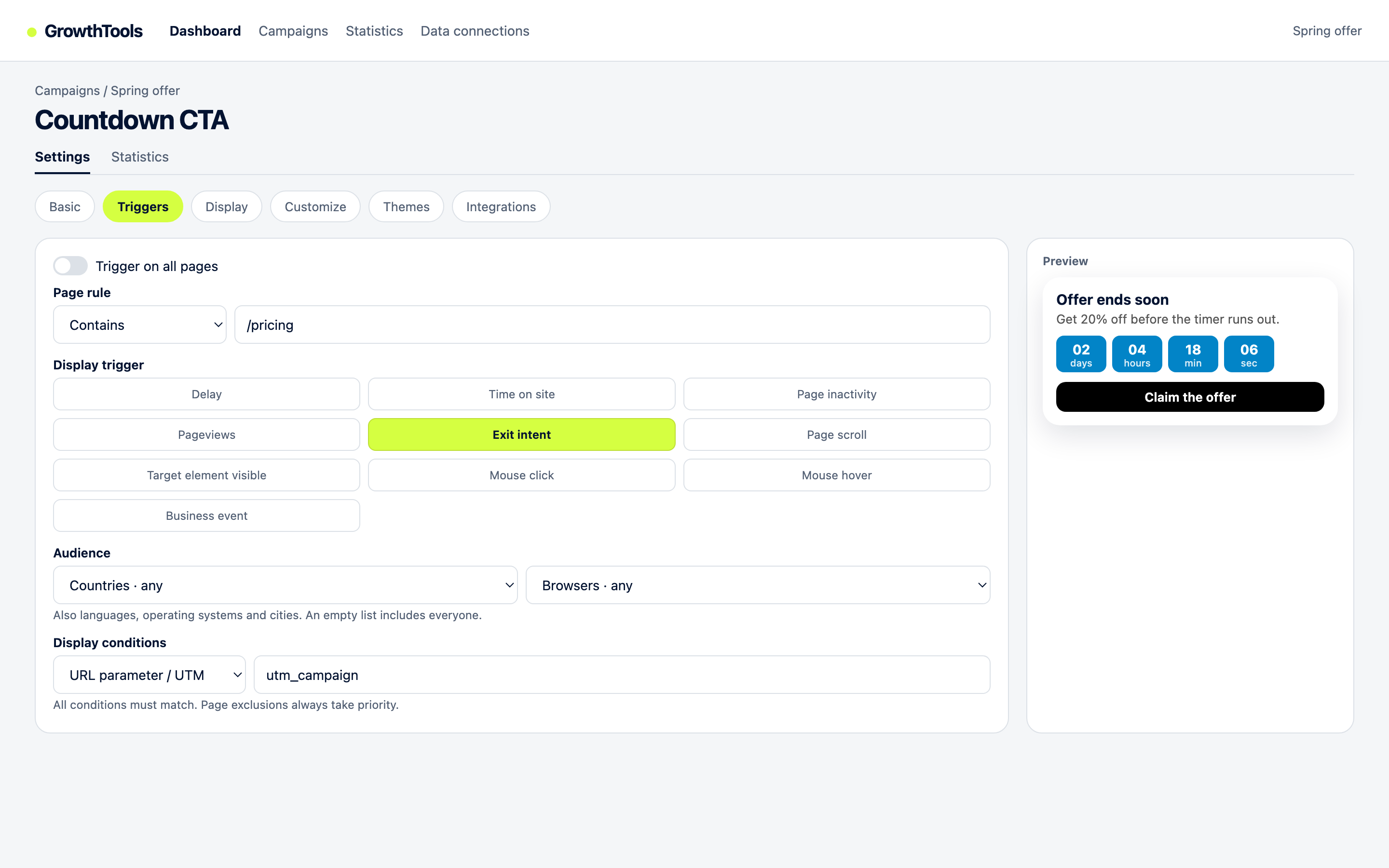
A headless storefront renders on the server and hydrates on the client, so a popup tool only sees the page after hydration. That single fact decides the design: target on what the browser can read (URL parameters, cookies, page rules, cart state exposed to the client), not on what only your server knows. The rest is overlap discipline, because three campaigns that each look reasonable will fire together and ruin the page.
Key takeaway: target on URL parameters set by your marketing links, cookies your own site writes, and page rules derived from the route. Write one overlap rule before launching a second campaign: highest priority wins, one popup per page view, with a shared cooldown.
The short answer
- What the tool can see: the URL including query parameters, cookies, route-level page patterns, and any cart or customer state your front-end exposes in the DOM or in a global object.
- What it cannot see: server-only data such as inventory held in a backend session, unless your front-end writes it somewhere readable.
- Where the risk sits: overlap. A campaign for returning visitors, a campaign for a URL parameter and a campaign for cart value can all match the same visitor on the same page view.
URL parameters: the cheapest targeting you have
Marketing links already carry context. Use it instead of building audiences:
| Parameter | What it tells you | Useful campaign |
|---|---|---|
utm_campaign | Which campaign sent the visitor | Offer matching the ad promise, which keeps the message consistent |
utm_source | Channel or partner | Partner-specific capture with the partner named in the copy |
discount or code | The visitor arrived expecting a code | Reveal the code instead of asking for an address first |
ref | A referral or an affiliate | Referral capture, with the referrer stored as a property |
collection | A landing route for a category | Category-specific proof or free shipping threshold |
Two rules keep parameter targeting sane. First, match on the parameter you control, not on the full query string, because one added tracking value breaks a strict match. Second, decide what happens when the parameter is absent: a campaign that only fires with a value is a campaign that quietly never fires, and nobody notices for a month.
Cookies: only the ones your own site writes
Reading a first-party cookie you set yourself is the reliable path. Depending on a third-party cookie is not: they are blocked, partitioned or short lived depending on the browser, so a campaign based on one behaves differently for every visitor.
- Write the cookie on your own domain, with a name you control, and a lifetime that matches the promise (a session, a week, a month).
- Never put personal data in the cookie value. Store a flag or a segment id, not an email.
- Respect consent. If the cookie is used for anything beyond a functional purpose, it belongs behind the consent choice. Our guide on GDPR lead capture consent covers the record side.
- Plan the empty case. First visit has no cookie, which is the majority of traffic on a new store.
Hydration: why the timing matters
On a server-rendered storefront, the HTML arrives before the JavaScript that makes it interactive. A popup script loads after that, so anything it needs from the page must exist when it runs. Three practical consequences:
- Do not depend on state that appears late. Cart value fetched after hydration may be empty when the trigger evaluates. If the campaign depends on it, re-evaluate on a change event instead of at load.
- Expect a short delay. A trigger that fires "immediately" fires after hydration. That delay is usually good: it keeps the popup out of the first paint, which is what Core Web Vitals and the interstitial rules both want.
- Test on a cold cache. A warm client-side navigation can keep the script alive and skip an initialisation, so a campaign that works when you click around may never fire on a full reload. Test both.
For the performance side, our Core Web Vitals guide covers what a deferred script costs and which metric each mistake damages.
Overlap rules, written before launch
This is the part that separates a working storefront from a sequence of apologies. Write the rules down, then implement them in the tool:
- One popup per page view. The highest priority campaign wins, and the others wait for the next page view.
- A shared cooldown. After any popup is dismissed, no other popup for a set period, even on a different page.
- A global cap. A maximum number of popups per visitor per session and per week, independent of the campaigns.
- Named priorities. Cart recovery beats newsletter, newsletter beats announcement, announcement beats nothing. If two campaigns have the same priority, the rule is undefined and behaviour varies.
Our exit-intent popup guide covers the trigger side of the same problem, and multi-site widgets for agencies covers keeping these rules separate across client stores.
What to measure on a headless build
- Popup-to-page-view ratio per campaign. If it climbs above one, the overlap rules are not holding.
- Dismissal rate by trigger. A parameter campaign dismissed instantly means the offer contradicts the ad the visitor clicked.
- Interaction to next paint on the heaviest route, before and after the script. Hydration plus a third-party script is where INP problems appear.
- Captures per hundred sessions by source parameter, which is the only way to know which channel produces subscribers rather than visits.
Honest limits
Client-side targeting cannot know what your server knows. If a campaign depends on inventory, loyalty tier or a server session, the honest options are to expose that state to the front-end deliberately, or to drop the campaign. Doing it halfway produces a popup that fires for the wrong visitors and a debugging session that takes days. And keep the list of parameters short: every parameter you match is a contract with a marketing team that will eventually rename it.
Target on what the browser can actually read.
GrowthTools evaluates URL parameters, cookies and page rules after hydration, with priority and cooldown rules across campaigns.
Create your free accountQuestions
Only if your front-end exposes it. The script runs in the browser after hydration, so it can read the URL, cookies, the DOM and any state your application puts on the page. Server-only data such as a backend session or live inventory is invisible unless you deliberately pass it to the client.
Yes, it is the cheapest targeting available, provided you match on the specific parameter you control rather than the full query string. Decide what happens when the parameter is absent, because a strict match on a missing value means the campaign never fires.
Usually because client-side navigation re-initialises the script, or because the snippet is present twice, for example in the layout and in a route-level component. Check for duplicate installs first, then make the trigger idempotent so a route change does not count as a new page view.
One. Two campaigns that both match the same page view mean the overlap rule is missing or the priorities are equal. Set a highest-priority campaign and a shared cooldown, then verify with the popup-to-page-view ratio, which should stay at or below one.
Write your overlap rules before the second campaign.
Create a free account, publish one parameter campaign, then add the cooldown before anything else goes live.
Create your free accountPublisher: GrowthTools by Seinsights. Product demonstrations are illustrative; results depend on your site and campaign.