
Home / Blog / Cyber Monday Popups
Cyber Monday popups: a setup that sells on Monday
Black Friday took the planning, and Cyber Monday takes what is left: one day, shoppers comparing tabs, and a deadline at midnight. You do not need a new campaign. You need the Black Friday setup switched over: a bar with the Monday message and a real end time, a countdown that counts to that same midnight, a free shipping bar that reads the cart, and one exit offer for visitors about to leave. Build it now, schedule it, and let Monday run itself.
Key takeaway: reuse the Black Friday bar with a Cyber Monday message and a fixed Monday-midnight deadline, keep the same countdown end time everywhere, show the exit offer once per visitor, and show nothing on cart and checkout pages. A timer that restarts on reload is a lie your shoppers will notice.
The short answer
- One bar, new message: keep the sale bar running and change its text to the Cyber Monday offer, with a countdown to Monday 23:59. Schedule it so it appears on its own and disappears at midnight.
- One deadline everywhere: the bar, the countdown by the price and the exit offer must all end at the same fixed time. Three different end times look like three different sales.
- One exit offer, not a bigger discount: Monday shoppers already expect a deal. Offer free shipping, a gift, or an extended return instead of cutting the price further.
- Nothing on cart and checkout: a popup over the payment step costs more orders than it saves. Keep those pages quiet.
Switch the bar, not the whole site
The bar across the top of the store is the line every visitor sees on every page, so it carries the whole switch. Duplicate the Black Friday bar rather than editing it: the original stays as a record of what ran on Friday, and the copy gets the Monday message, the Monday code if there is one, and a button to the sale collection.
- Write the offer in one sentence. If it does not fit on a phone screen, it is too complicated: one discount, one code, one end time.
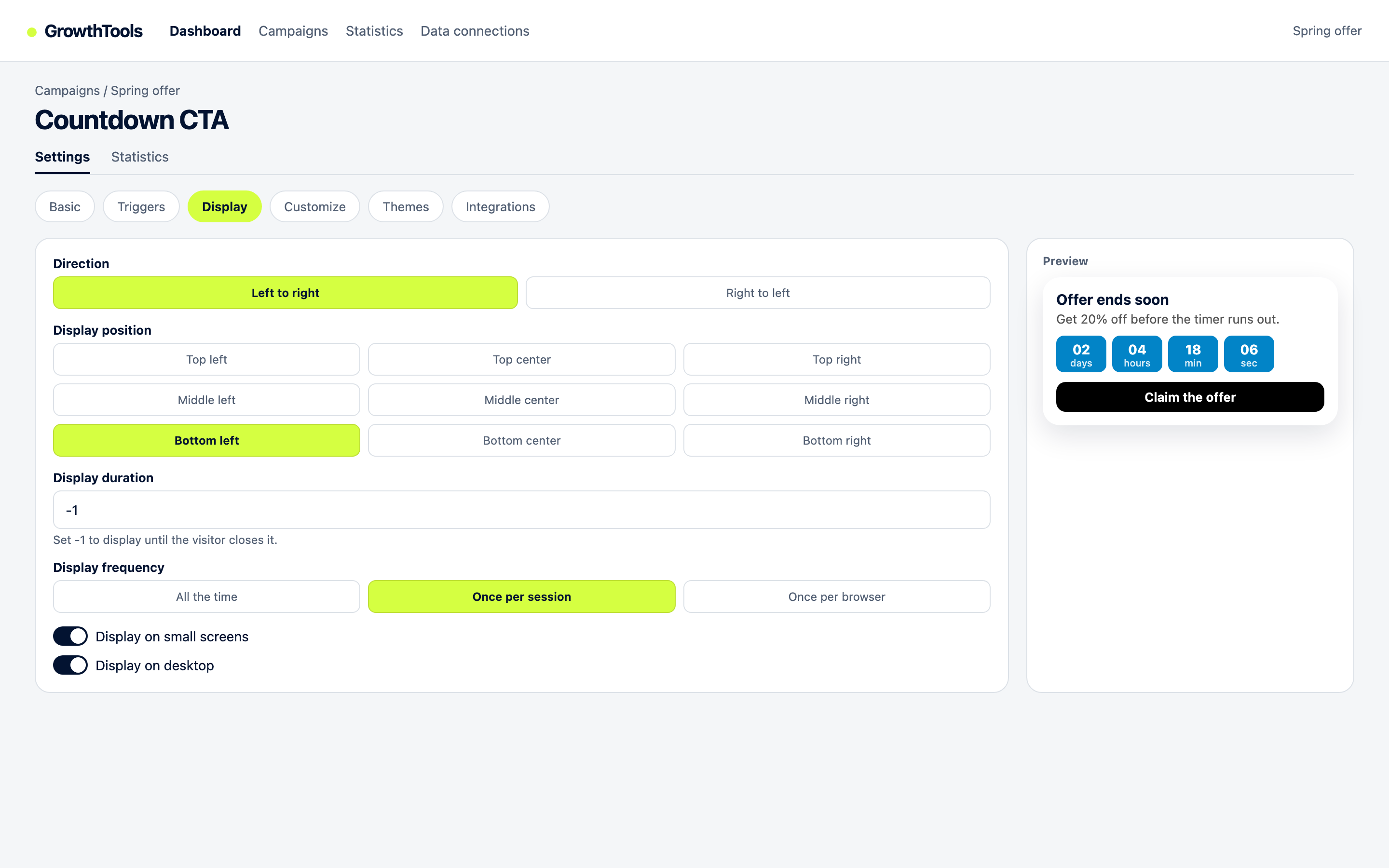
- Set a start and an end. The bar should appear Monday at 00:00 and disappear at 23:59 without anyone touching the dashboard. In GrowthTools this is the campaign schedule on the bar widget.
- Decide what Tuesday shows. A bar that still promises a Monday sale on Tuesday morning destroys trust. Schedule a plain announcement, or nothing, for the day after.
One countdown, one real deadline
A countdown works on Cyber Monday because the deadline is real and shared: every shopper sees the same midnight. Set it to a fixed date and time, and decide now what happens at zero: hide the timer, replace it with an ended message, or point visitors to the regular catalog.
What not to do is the evergreen timer that restarts on every visit. Shoppers compare tabs on Cyber Monday, and a deadline that moves between two tabs is visibly fake. It also trains visitors to ignore your next real deadline. Our cart recovery guide makes the same point for exit offers: urgency only converts when it is true.
Let the free shipping bar read the cart
Extra costs at checkout remain the most fixable reason carts are abandoned, and Monday is the day shoppers feel them most, after a weekend of spending. A bar that says how far the cart is from free shipping turns that cost into one more item instead of one abandoned cart.
Set the threshold from your median order, not from a round number, and keep the bar honest: if the cart already qualifies, say so instead of pushing a higher tier. The full threshold math is in our free shipping bar guide.
One exit offer, and not a bigger discount
Exit intent on Monday catches a different visitor than on a normal day: someone who has seen the deal, compared it elsewhere, and is leaving anyway. A deeper discount here teaches shoppers to abandon carts on purpose next time. Offer instead what a discount cannot buy at the last minute:
- Free express shipping with a Christmas delivery promise, where it applies.
- An extended return window for gifts bought during the sale.
- A gift with purchase while stock lasts, with the stock limit stated plainly.
Show it once per visitor for the whole day. A frequency cap of one per session is the minimum; one per day is calmer and converts no worse on a deadline day.
Keep cart and checkout clear
This is the rule Monday breaks most often. A popup over the cart hides the order summary at the exact moment the shopper checks it, and a popup over checkout interrupts payment details. Both raise abandonment instead of saving it.
Use page rules to exclude the cart, checkout and thank-you pages from every campaign, and test the exclusion with a real item in the cart, not on an empty cart page. The five minutes this takes are the highest return work of the weekend.
The five-minute phone check
Most Cyber Monday browsing happens on a phone, so finish with the phone, not the laptop:
- Open the store in a private window on a real phone and confirm the bar fits on one line without covering the navigation.
- Trigger the popup once and check the close control is reachable with a thumb and the content does not cover the whole screen on load.
- Submit a test lead and confirm it arrives with the page URL and the consent state you configured.
- Walk to checkout and confirm no campaign appears from the cart page onward.
If anything overlaps or misbehaves, fix the display rules before Monday morning, not during it. The widget catalog on growthtools.app shows which widget types carry scheduling and page rules, so you can pick the right one instead of forcing a popup to do a bar's job.
Honest limits
A Monday setup cannot fix a weak offer. If the discount is smaller than Friday's, say so and sell the Monday-only extras (shipping, returns, gift) instead of pretending the price is lower. Shoppers who bought on Friday will check, and a store caught raising the base price to protect the margin loses more than one sale. Schedule the switch, keep one deadline, and let the timers tell the truth: that is the whole playbook.
One bar, one countdown, one exit offer.
GrowthTools schedules each widget with start and end dates, so the Cyber Monday setup switches itself on and off while you sleep.
Create your free accountQuestions
Yes, and you should. Duplicate the campaign so Friday stays as a record, change the message and the code to the Monday offer, and set the schedule to Monday 00:00 to 23:59. Check that every timer in the store ends at the same fixed midnight.
No. A countdown that restarts on reload, or a deadline that moves, reads as fake the moment a shopper compares two tabs, which is exactly what people do on Cyber Monday. Count to one fixed date and time that every visitor shares, and decide in advance what the timer shows at zero.
Because a popup there hides the order summary or interrupts payment details at the worst possible moment. Monday traffic is already convinced; the job of those pages is to stay out of the way. Use page rules to exclude cart, checkout and thank-you pages from every campaign.
Nothing about Monday. A bar that still promises a Cyber Monday sale on Tuesday destroys trust for the whole Christmas season. Schedule the sale bar to disappear at midnight and replace it with a plain announcement, for example a Christmas shipping cutoff, or with nothing at all.
Get the Monday setup live before midnight Sunday.
Create a free account, duplicate the Black Friday bar, set the Monday deadline, and exclude cart and checkout.
Create your free accountPublisher: GrowthTools by Seinsights. Product demonstrations are illustrative; results depend on your site and campaign.