
How to capture more leads from the traffic you already have
Most of your visitors leave without a trace: no purchase, no email, nothing. Lead capture widgets fix that by asking for the email at the right moment, on the page you already rank or advertise. No redesign, one script, three placements that cover every visit.
Key takeaway: run three collectors at once: a discreet bar on every page, a scroll-triggered collector on content, and an exit-intent modal on commercial pages. Ask for the email only, and give one clear reason per widget.
Why traffic alone does not build a list
Traffic is rented attention. Search rankings shift, ad costs rise, and 95 percent or more of first-time visitors leave without acting. An email address changes the math: it is a contact you own, reachable as often as your content earns it, at near-zero marginal cost. The gap between "good traffic" and "growing list" is almost always the same: the site never asks, or asks once, in one place, with no reason attached.
Capture works when three things line up: the right moment (triggers), the right place (page rules), and a reason worth an email (the offer). GrowthTools collectors cover all six widget formats below with the same campaign builder.
The 6 widgets, and where each one belongs
| Widget | Behavior | Put it here |
|---|---|---|
| Email collector | Small box, email only | Blog sidebar and below articles |
| Collector bar | Thin top or bottom bar, always visible | Every page, newsletter signup |
| Modal collector | Popup on trigger, email plus optional name | Content pages at 50 percent scroll |
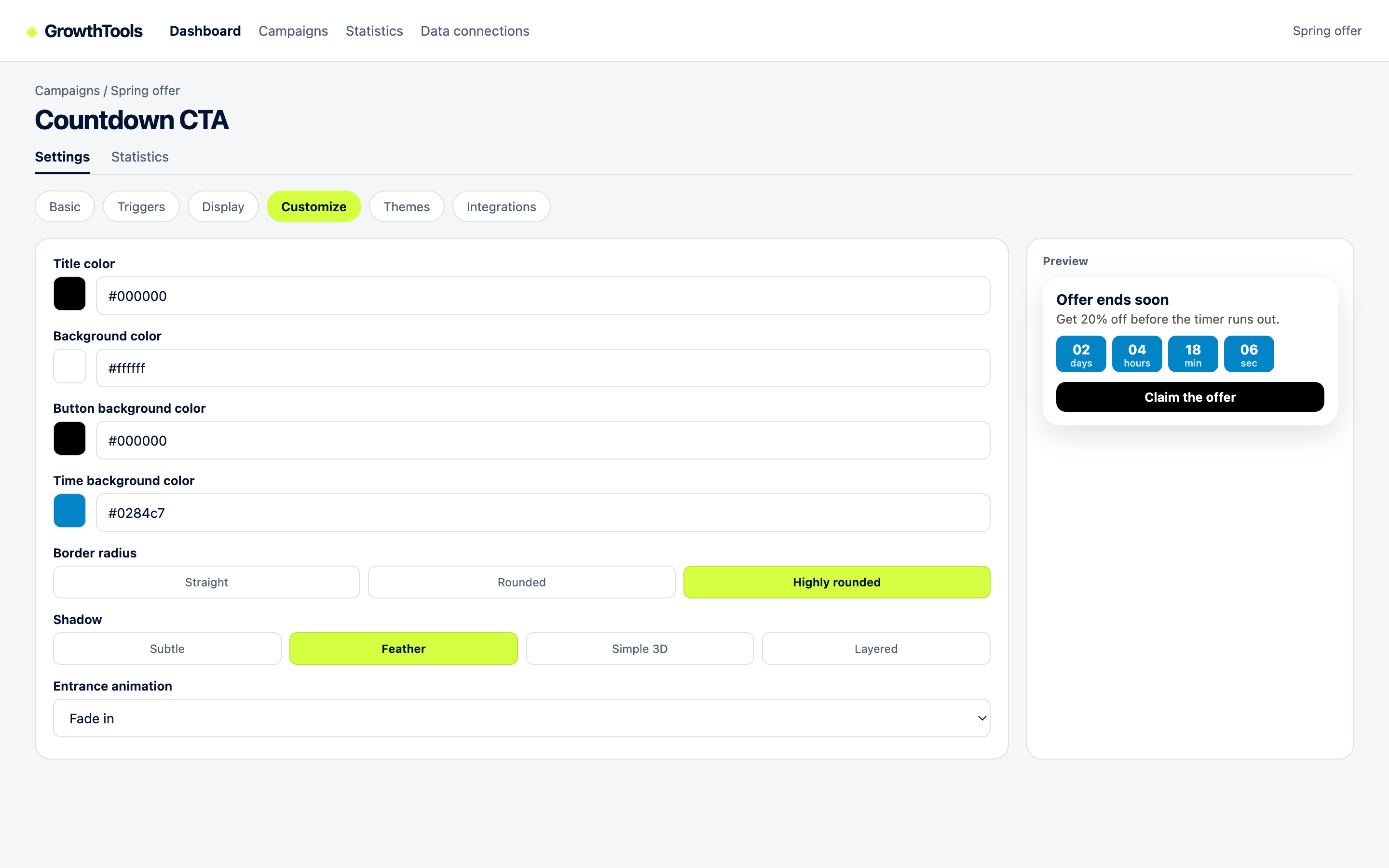
| Countdown collector | Modal with a real deadline | Offer and sales pages (pairs with exit intent) |
| Request collector | Multi-field form for qualified demand | Services, demo, and quote pages |
| Informational bar | Announcement that links to a landing page | Homepage during launches and events |
Setup in 3 steps
1. Paste the script once
Create a free account, create a campaign, and paste the deferred script on your site or in your tag manager. All six widgets run through it.
2. Build the three collectors
One collector bar for the newsletter (site-wide, discreet), one modal collector for your lead magnet (content pages, scroll trigger), one exit-intent modal for commercial pages. One reason per widget, one field wherever possible.
3. Match brand and publish
Set colors, dark mode, and animations in the Customize tab so each widget looks built in. Publish, then compare impressions, hovers, and clicks per campaign and keep the winners.
Start collecting emails this week.
Free plan available, no card required. Build your first collector in the dashboard today.
Create your free account5 rules for forms people complete
- One field for cold visitors. Email only for newsletters and lead magnets. Save qualification for the request collector on hot pages.
- Name the reward, not the mechanism. "Get the pricing checklist" beats "Subscribe to our newsletter" every time.
- Trigger on behavior, not on load. Scroll, delay, inactivity, or exit intent. Instant popups train visitors to close reflexively.
- Prove before you ask. A review or recent-sale popup next to the collector (social proof notifications) lowers the perceived cost of handing over an email.
- Confirm and deliver fast. The lead magnet should arrive in the first email, in minutes. Speed is part of the offer.
Questions
Combine three placements: a discreet bar on every page for the newsletter, a scroll-triggered collector on content pages for the lead magnet, and an exit-intent modal on commercial pages to save abandoning visitors. One form in one place is the most common reason lists grow slowly.
One field (email) for newsletters and lead magnets, three to five for quote or demo requests where qualification matters. Every extra field costs conversion, so split capture from qualification: email first, details later.
Popups collect more emails because they ask at a chosen moment instead of waiting to be noticed. Embedded forms convert the visitors who seek them out. Use both: a bar or embedded form for the willing, a triggered collector for everyone else.
No. GrowthTools widgets overlay your existing pages through one script. You add bars, modals, and collectors from the dashboard with your brand styling, and remove or change them without touching your theme.
Publisher: GrowthTools by Seinsights. Product demonstrations are illustrative; results depend on your site and campaign.
Further reading
For practical implementation constraints, see Google's guidance on intrusive interstitials and the W3C modal dialog accessibility pattern. These sources describe search and accessibility considerations; they do not substantiate a conversion uplift.